
If your KitchenAid dishwasher is showing the E4 F8 error, you’re probably feeling frustrated and unsure what to do next. This error can stop your dishwasher from working properly, leaving your dishes dirty and your kitchen a mess.
But don’t worry—understanding what this code means and how to fix it can save you time, money, and stress. You’ll discover simple steps to diagnose and solve the E4 F8 error, so your dishwasher runs smoothly again. Keep reading to take control of the problem and get your KitchenAid back to cleaning like new.
Table of Contents
Causes Of E4 F8 Error
The E4 F8 error code on a KitchenAid dishwasher signals a problem that needs quick attention. Understanding the causes helps fix the issue faster. This error usually relates to water flow or sensor problems inside the machine. Below are the common causes of the E4 F8 error to check first.
Water Supply Issues
Water supply problems can trigger the E4 F8 error code. The dishwasher might not get enough water or the water pressure may be too low. A clogged or kinked water hose also blocks water flow. Sometimes, the water valve does not open properly, stopping water from entering the dishwasher. Checking the water source and hose is important to solve this issue.
Drainage Problems
Drainage troubles can cause the dishwasher to show the E4 F8 error. If the drain hose is blocked or bent, water cannot leave the machine. A clogged drain pump or filter also stops water from draining. Standing water inside the dishwasher triggers the error code. Clearing the drain path helps restore normal function.
Sensor Malfunctions
The dishwasher relies on sensors to detect water levels and temperature. Sensor malfunctions often cause the E4 F8 error code. Dirt or debris on sensors can give false readings. Electrical faults or wiring issues also disrupt sensor signals. Cleaning sensors and checking wiring can fix these malfunctions.

Step-by-step Quick Fixes
The KitchenAid dishwasher error E4 F8 often signals a drainage or water flow issue. Quick fixes can help solve the problem without waiting for service. Follow simple steps to get your dishwasher running smoothly again.
These quick actions save time and prevent small issues from growing. Each step focuses on key areas that often cause this error. Try these fixes one by one.
Resetting The Dishwasher
Start by resetting your dishwasher to clear minor glitches. Press and hold the start button for 3 to 5 seconds. This action can reboot the system and stop the error code.
Unplug the dishwasher or turn off the circuit breaker for 5 minutes. This step helps reset the internal controls completely. Plug it back in and run a short cycle to check if the error disappeared.
Checking And Clearing Filters
Dirty or clogged filters block water flow and cause error E4 F8. Open the dishwasher and remove the bottom rack. Locate the filter at the base of the tub.
Take out the filter and rinse it under running water. Use a soft brush to remove stuck debris and food particles. Once clean, put the filter back in place securely.
Regularly cleaning filters keeps your dishwasher efficient and prevents future errors. Check filters at least once a month.
Inspecting Water Inlet And Drain Hose
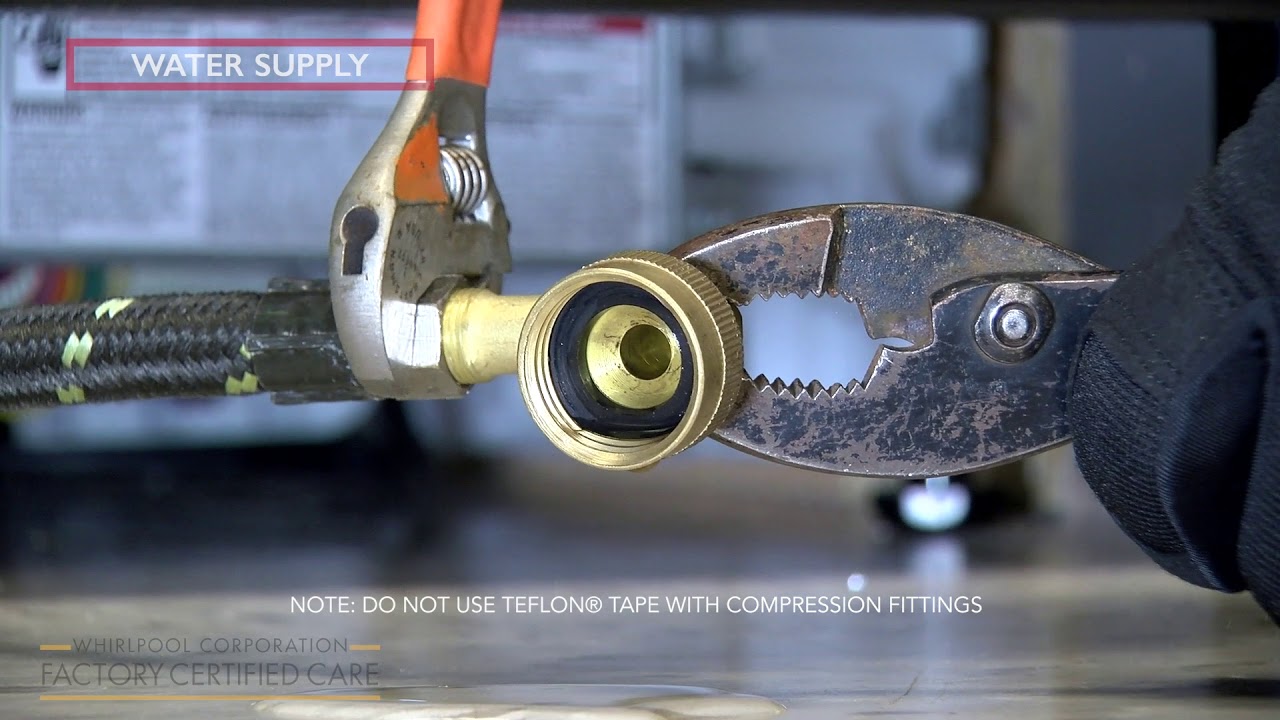
Check the water inlet valve and drain hose for blockages or kinks. Turn off the water supply before inspection. Disconnect the hoses and look for clogs or damage.
Remove any debris found inside the hoses. Straighten any bends that could slow water flow. Reattach the hoses firmly to avoid leaks.
Proper water flow is essential for dishwasher performance. Ensuring hoses are clear stops error codes like E4 F8 from appearing.
When To Call A Technician
Knowing when to call a technician for your KitchenAid dishwasher is important. Some problems need expert help to avoid damage or safety risks. Understanding the signs can save you time and stress.
Persistent Error Codes
Some error codes appear briefly and then clear. Others stay on the display and stop the dishwasher from working. Persistent E4 or F8 codes often mean a serious issue. These errors can relate to water leaks or electrical faults. If the code does not go away after resetting, call a technician.
Complex Electrical Issues
Electrical problems may cause strange noises or the dishwasher not to start. These issues can be hidden inside the machine’s wiring or control board. Attempting repairs without knowledge can be dangerous. A technician has the tools and skills to fix electrical faults safely.
Warranty And Service Options
Check your dishwasher’s warranty before trying repairs. Some fixes can void the warranty if done by untrained people. Professional service centers often offer repairs covered by warranty. Calling a technician ensures the job is done right and your warranty stays valid.

FAQ: Kitchenaid Dishwasher E4 F8
What Does Error Code E4 F8 Mean On Kitchenaid Dishwasher?
The E4 F8 code shows a problem with the dishwasher’s motor or motor control board.
How Can I Fix The Kitchenaid Dishwasher E4 F8 Error?
Try resetting the dishwasher by unplugging it for 5 minutes, then plug it back in.
When Should I Call A Technician For E4 F8 Error?
Call a technician if the error repeats after resetting or if the dishwasher won’t start.
Conclusion
The Kitchenaid dishwasher E4 F8 error can disrupt your routine. Fixing it quickly saves time and stress. Check the door latch and wiring first. Clean filters and spray arms to improve performance. Regular maintenance helps prevent this error from returning.
Understanding simple steps keeps your dishwasher running well. Stay patient and follow the guide carefully. Your dishwasher will work smoothly again soon.